Card 05 of 38· Domain 1 · Plan and manage
Responsible AI — the process and the four layers
Map, measure, mitigate, manage — plus which control sits at which layer, content filters against Content Safety, and what a block actually returns on the wire.
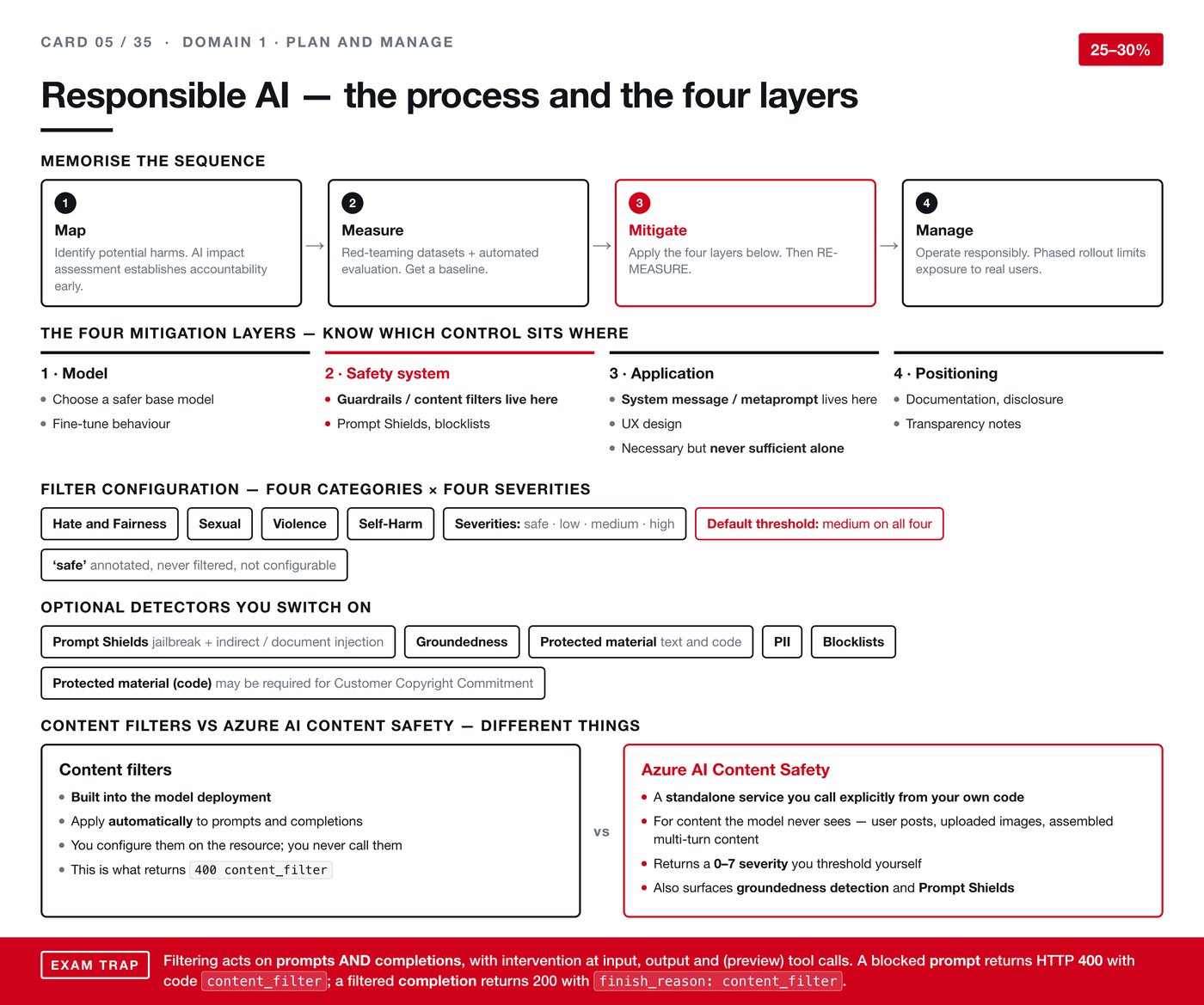
Responsible AI is where a lot of people revise vaguely and then lose marks on precision. The exam does not ask whether you think safety matters. It asks which control sits at which layer, and what a specific failure looks like on the wire.
The four steps, in order
The sequence is Map, Measure, Mitigate, Manage — and the order carries meaning.
- Map. Identify what could go wrong. An AI impact assessment done here is what establishes accountability early, before anyone is invested in a particular design.
- Measure. Get a baseline. Red-teaming datasets — deliberately adversarial inputs — plus automated evaluation, so you have a number before you change anything.
- Mitigate. Apply the four layers below. Then measure again. A mitigation you have not re-measured is a hope.
- Manage. Operate it responsibly. Phased rollout limits how many real people are exposed while you are still learning.
The re-measure inside step three is the part that gets skipped in practice and asked about on the exam.
Four layers, and knowing what lives where
Almost every question here is really asking "which layer does that control belong to?".
- Model. Choosing a safer base model, or fine-tuning behaviour.
- Safety system. Guardrails, content filters, Prompt Shields and blocklists. This is where filtering lives — not in the application.
- Application. The system message, sometimes called the metaprompt, plus the design of the interface itself. Necessary, and never sufficient on its own. Instructions in a system message are guidance, not enforcement.
- Positioning. Documentation, disclosure and transparency notes. What you tell people about what they are using.
How filters are configured
Four categories: hate and fairness, sexual, violence, self-harm. Four severities: safe, low, medium, high.
The default threshold is medium on all four. The safe level is annotated but never filtered, and it is not configurable.
Then a set of detectors you switch on deliberately:
- Prompt Shields — for jailbreak attempts and indirect or document-based injection, where the malicious instruction is hidden in content the model reads rather than typed by the user.
- Groundedness detection.
- Protected material, for text and for code.
- Personal information detection, and blocklists.
One with commercial consequences: the protected material detector for code may be required to qualify for the Customer Copyright Commitment. That is a contractual protection, not a technical nicety.
Two things called safety that are not the same
This distinction is easy to state and easy to lose under pressure.
Content filters are built into the model deployment. They apply automatically to prompts and completions. You configure them on the resource and your code never calls them.
Azure AI Content Safety is a standalone service you call explicitly from your own code. You use it for content the model never sees — a user's post before it is published, an uploaded image, assembled multi-turn content. It returns a severity from 0 to 7 that you threshold yourself, and it also exposes groundedness detection and Prompt Shields.
Short version: one is automatic and wraps the model, the other is a service you invoke for everything else.
What a block actually looks like
Filtering acts on prompts and completions, with intervention at input, at output, and — in preview — at tool calls.
The two outcomes differ, and the exam tests exactly this:
- A blocked prompt returns HTTP 400, with the code
content_filter. The request failed. - A filtered completion returns HTTP 200, with
finish_reason: content_filter. The request succeeded and the answer was cut short.
If you are only checking status codes in your error handling, the second case looks like success and passes a truncated answer to your user. Check the finish reason.