Card 04 of 38· Domain 1 · Plan and manage
Auth, roles and quota — the keyless model
Identity over keys, the five built-in roles and the three wrong answers, and why the administrator who is Owner still cannot call the model.
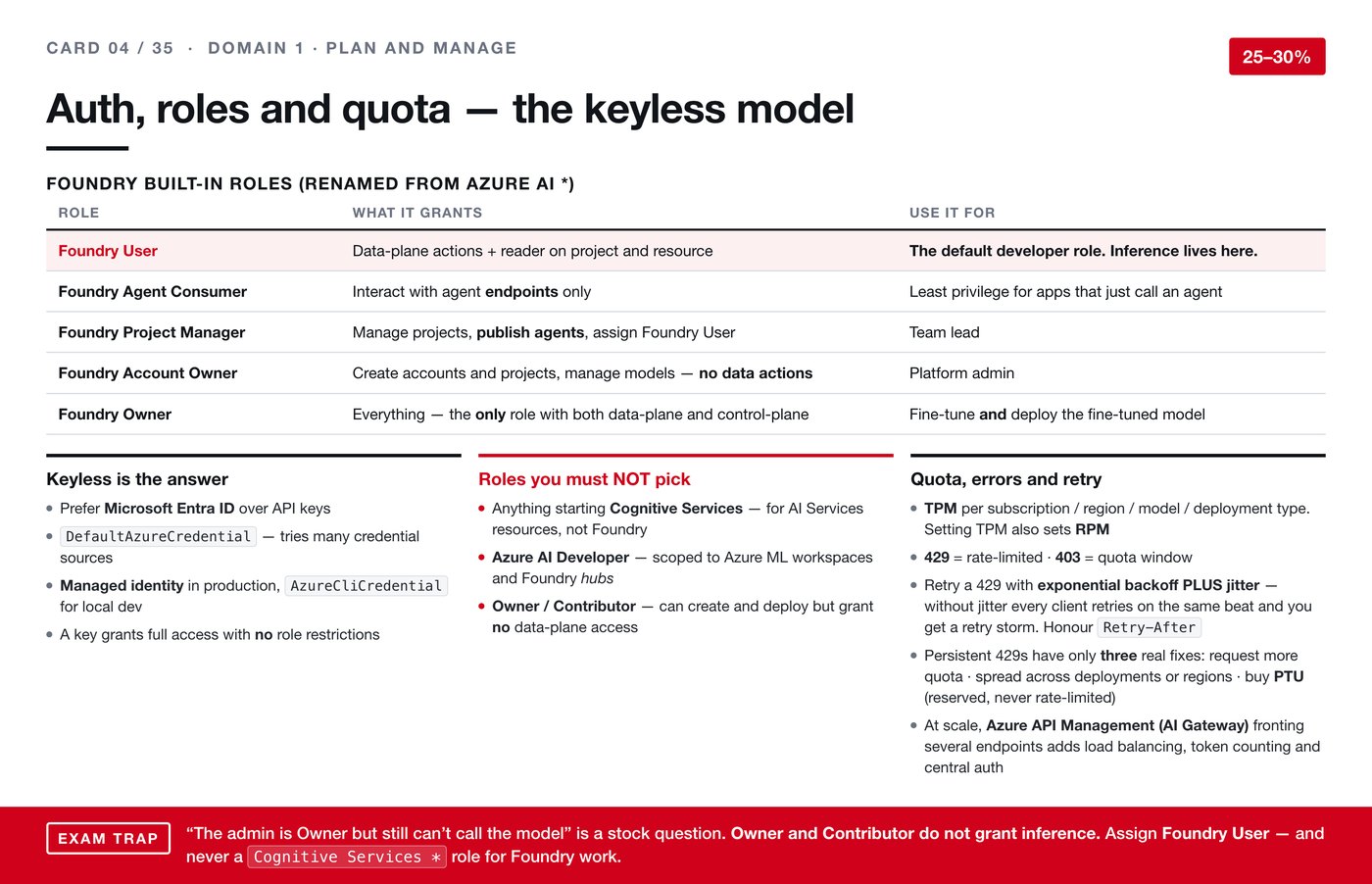
This card carries the single correction I would most want someone else revising for this exam to see. Several third-party practice tests get the role question wrong, and if you learn it from them you will answer confidently and lose the mark.
Prefer identity over keys
An API key is a long secret string that proves you are allowed to call something. It works, and it is the wrong default here, for one reason: a key grants full access with no role restrictions attached to it. Whoever holds it can do whatever the resource permits.
The alternative is Microsoft Entra ID, Microsoft's identity system. Instead of a shared secret, the thing making the call has an identity of its own, and that identity carries a role that limits what it may do.
In practice:
- In production, use a managed identity — an identity Azure creates and rotates for your running service, with no secret for anyone to leak.
- On your own machine while developing,
AzureCliCredentialuses the account you already signed in with. DefaultAzureCredentialtries a sequence of credential sources in turn, so the same code works in both places without a branch.
The five built-in roles
These were renamed from the older Azure AI names, so both sets of words are still in circulation.
| Role | What it grants | Reach for it when |
|---|---|---|
| Foundry User | Data-plane actions, plus reader on the project and resource | This is the default developer role. Inference lives here. |
| Foundry Agent Consumer | Talking to agent endpoints, nothing more | An application that only needs to call an agent. Least privilege. |
| Foundry Project Manager | Managing projects, publishing agents, assigning Foundry User | A team lead |
| Foundry Account Owner | Creating accounts and projects, managing models — no data actions | A platform administrator |
| Foundry Owner | Everything. The only role holding both data-plane and control-plane | Fine-tuning a model and deploying the result |
The distinction underneath the table is between the control plane — creating and configuring resources — and the data plane — actually calling the model. They are separate permissions, and that separation is the whole point of the stock exam question below.
The three wrong answers
- Anything beginning "Cognitive Services". Those roles are for AI Services resources, not for Foundry. This is the family the practice tests wrongly recommend.
- Azure AI Developer. Scoped to Azure Machine Learning workspaces and Foundry hubs, which is not the same thing.
- Owner or Contributor. These can create and deploy, and grant no data-plane access at all.
The question usually arrives as a small mystery: the administrator is Owner but still cannot call the model. That is not a bug. Owner and Contributor do not grant inference. The answer is to assign Foundry User — or Foundry Agent Consumer where the application only needs to reach an agent endpoint.
Quota, and what the error codes mean
Quota is expressed as tokens per minute, and it is allocated per subscription, per region, per model and per deployment type. Setting tokens per minute also sets requests per minute; they move together.
Two codes to keep apart:
- 429 means rate-limited. You are going too fast right now.
- 403 means you are outside your quota window altogether.
When you retry a 429, use exponential backoff with jitter — a small random delay added to each wait. Without jitter every client that got throttled retries on exactly the same beat, and they collide again. That is a retry storm, and it is self-inflicted. Honour the Retry-After header when the service sends one.
Backoff only smooths a spike. Persistent 429s have three real fixes: ask for more quota, spread load across deployments or regions, or buy provisioned capacity, which is reserved and never rate-limited.
At larger scale, putting Azure API Management in front of several endpoints gives you load balancing, token counting and one place to handle authentication.