Card 21 of 38· Domain 2 · Generative AI and agents
Publishing an agent to Microsoft 365 and Teams
What is created beneath the covers, the two publishing scopes and the governance gate between them, and the error code mapped to a missing role.
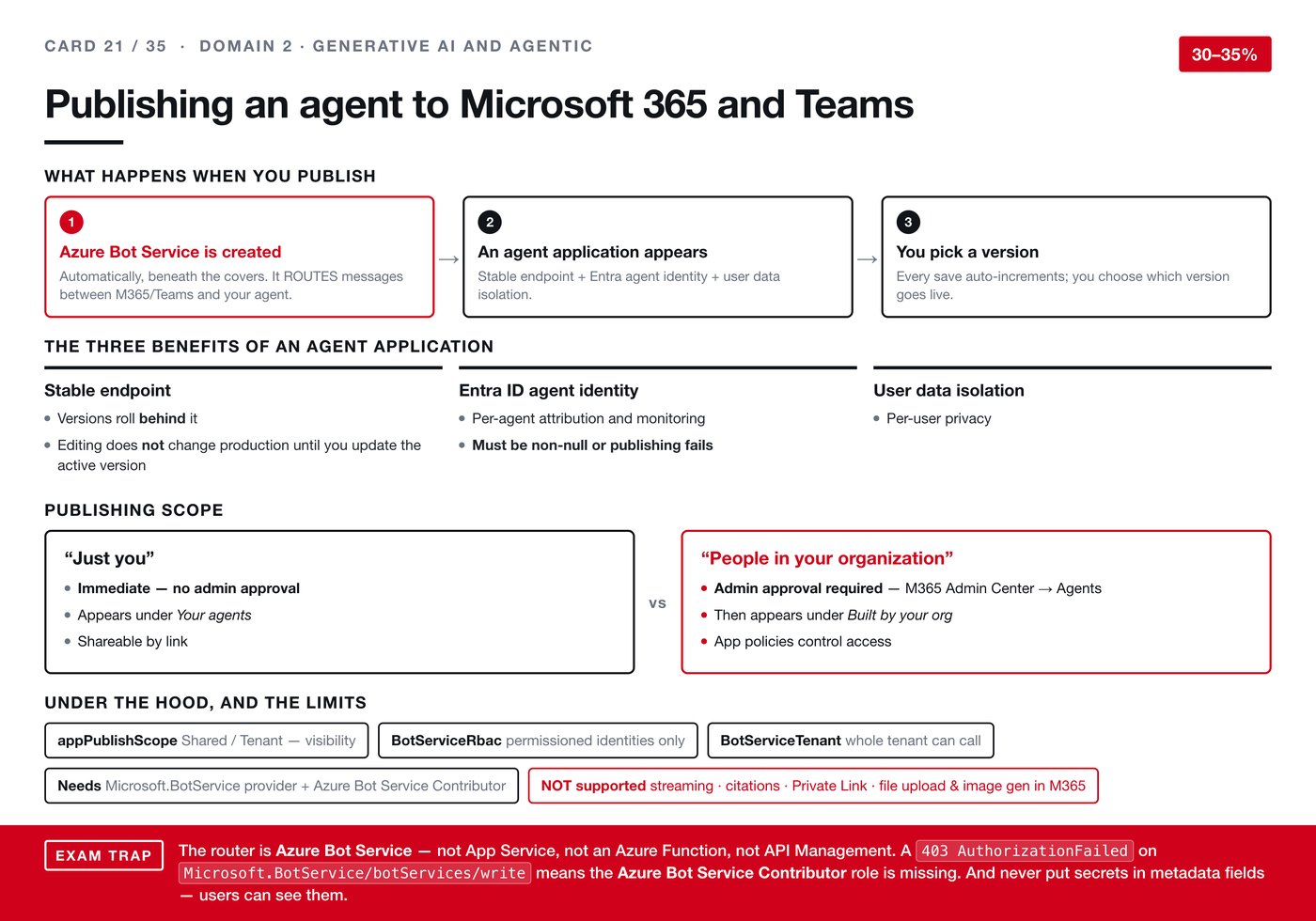
Publishing an agent into Microsoft 365 and Teams involves more moving parts than it appears from the button, and the exam asks about the parts you never see.
What actually happens when you publish
- An Azure Bot Service is created automatically, beneath the covers. Its job is routing messages between Microsoft 365 or Teams and your agent.
- An agent application appears, bringing a stable endpoint, an Entra agent identity and user data isolation.
- You pick a version. Every save auto-increments the version, and you choose which one goes live.
Step three has a useful consequence: editing does not change production until you update the active version. You can work on an agent people are using without disturbing them.
The three benefits of an agent application
- Stable endpoint — versions roll behind it, so the address people integrate with does not move.
- Entra ID agent identity — per-agent attribution and monitoring. Note: it must be non-null or publishing fails, which is a concrete cause of a failed publish rather than an abstract property.
- User data isolation — per-user privacy.
Two publishing scopes
"Just you" is immediate, with no administrator approval. The agent appears under Your agents and can be shared by link.
"People in your organization" requires administrator approval, through the Microsoft 365 admin centre under Agents. Once approved it appears under Built by your org, and app policies control who can reach it.
That difference is a governance boundary, not a convenience setting. Anything reaching colleagues passes through an admin gate; anything reaching only you does not.
Under the hood, and the limits
appPublishScope— Shared or Tenant, controlling visibility.BotServiceRbac— permissioned identities only.BotServiceTenant— the whole tenant can call it.- Publishing needs the
Microsoft.BotServiceprovider registered, plus the Azure Bot Service Contributor role.
Not supported: streaming, citations, Private Link, and file upload or image generation within Microsoft 365. The citations gap is worth remembering — grounded answers elsewhere on this platform arrive with citations, and here they do not.
The trap, in three parts
The router is Azure Bot Service. Not App Service, not an Azure Function, not API Management. All three are offered and all three are wrong.
A 403 AuthorizationFailed on Microsoft.BotService/botServices/write means the Azure Bot Service Contributor role is missing. That is a specific error mapped to a specific cause, which is exactly the kind of thing this exam likes.
Never put secrets in metadata fields — users can see them. The same warning appeared on card 18 about schemas, prompts and variables. It recurs because the underlying mistake recurs: treating a field as internal because you cannot see it in the interface you happen to be using.