Card 15 of 38· Domain 2 · Generative AI and agents
MCP — servers, clients and the approval round trip
Who does what, why the approval default explains most "it does nothing" reports, and the two silent failures — unreachable local servers and unhandled approval events.
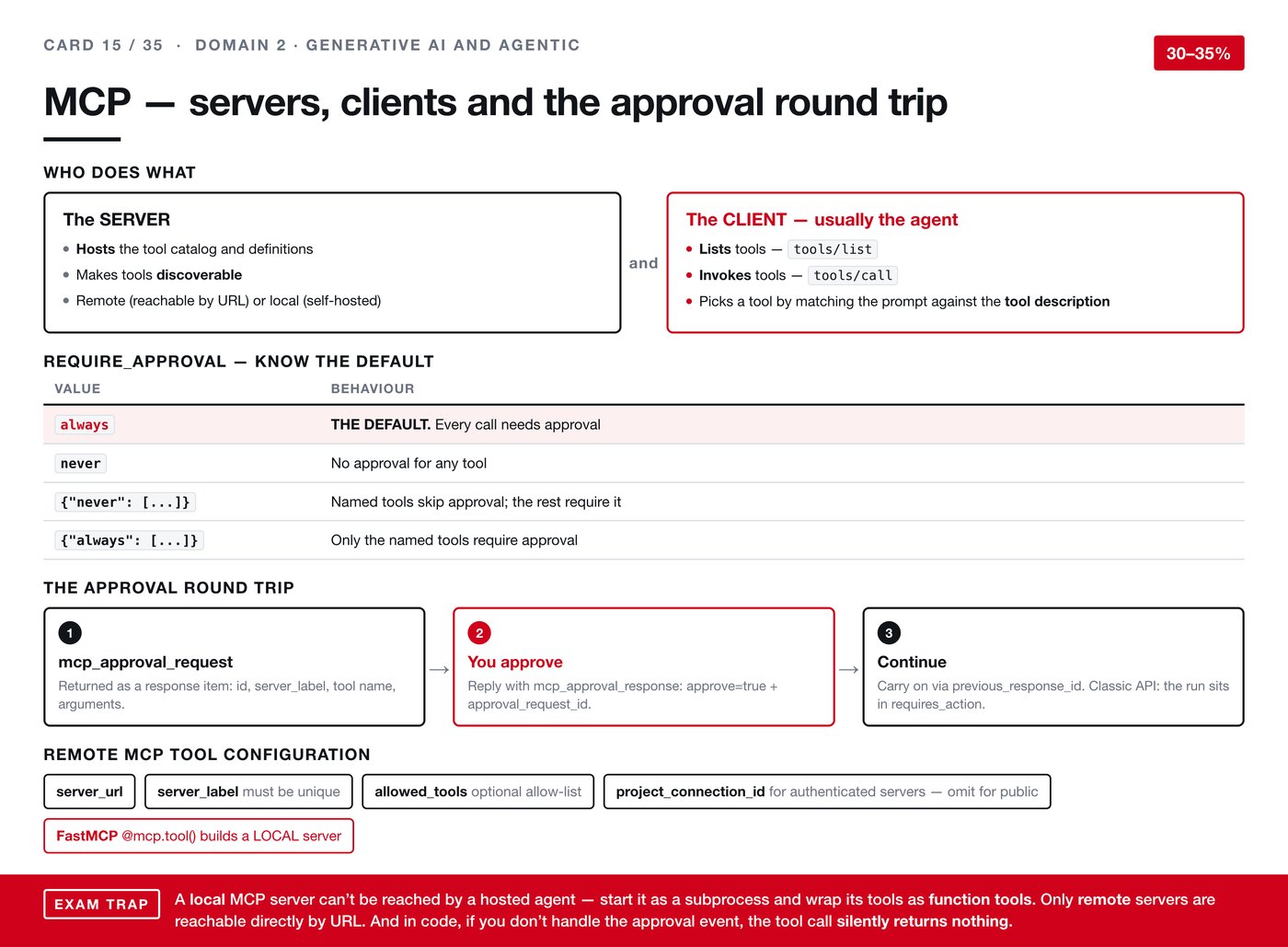
The Model Context Protocol is a standard way for an agent to discover and call tools that live somewhere else. Its value is that the agent does not need bespoke wiring for each one — it asks what is available and gets a catalogue back.
Who does what
The server hosts the tool catalogue and the definitions. It makes tools discoverable. It can be remote, reachable at a URL, or local and self-hosted.
The client is usually the agent. It lists tools with tools/list, invokes them with tools/call, and picks which one to use by matching the prompt against the tool description.
That last point echoes card 13, and it is worth noticing the pattern: descriptions are load-bearing. Across function calling and this protocol alike, the text you write about a tool is what determines whether the right one gets chosen.
Approval, and the default
Tool calls can require human approval, controlled by require_approval. Four settings:
| Value | Behaviour |
|---|---|
always |
The default. Every call needs approval |
never |
No approval for any tool |
{"never": [...]} |
The named tools skip approval; everything else needs it |
{"always": [...]} |
Only the named tools require approval |
Knowing that always is the default matters, because it means an agent you have just wired up will appear to do nothing until approvals are handled. That is not a fault.
The approval round trip
- An
mcp_approval_requestcomes back as a response item, carrying an id, the server label, the tool name and the arguments. - You approve — reply with
mcp_approval_response, settingapprove=trueand theapproval_request_id. - Carry on, via
previous_response_id. On the classic API the run sits inrequires_actionwhile it waits.
Configuring a remote server
server_url— where it lives.server_label— must be unique.allowed_tools— an optional allow-list.project_connection_id— for authenticated servers. Omit it for public ones.
For building a local server, FastMCP's @mcp.tool() decorator is the route.
Two failures worth expecting
A local server cannot be reached by a hosted agent. Only remote servers are reachable directly by URL. If your server is local, start it as a subprocess and wrap its tools as function tools instead. This catches people who develop against a local server and cannot understand why the hosted agent sees nothing.
If you do not handle the approval event, the tool call silently returns nothing. No error is raised. The agent asks for permission, nobody answers, and the call resolves to empty. Combined with always being the default, this is the single likeliest reason a newly built integration appears to be broken when it is merely waiting.