Card 31 of 38· Domain 5 · Information extraction
Azure AI Search — the four objects and the indexer pipeline
Which object is the scheduled one, the indexer stages in order, and the mapping people forget — the reason enriched fields arrive empty with no error.
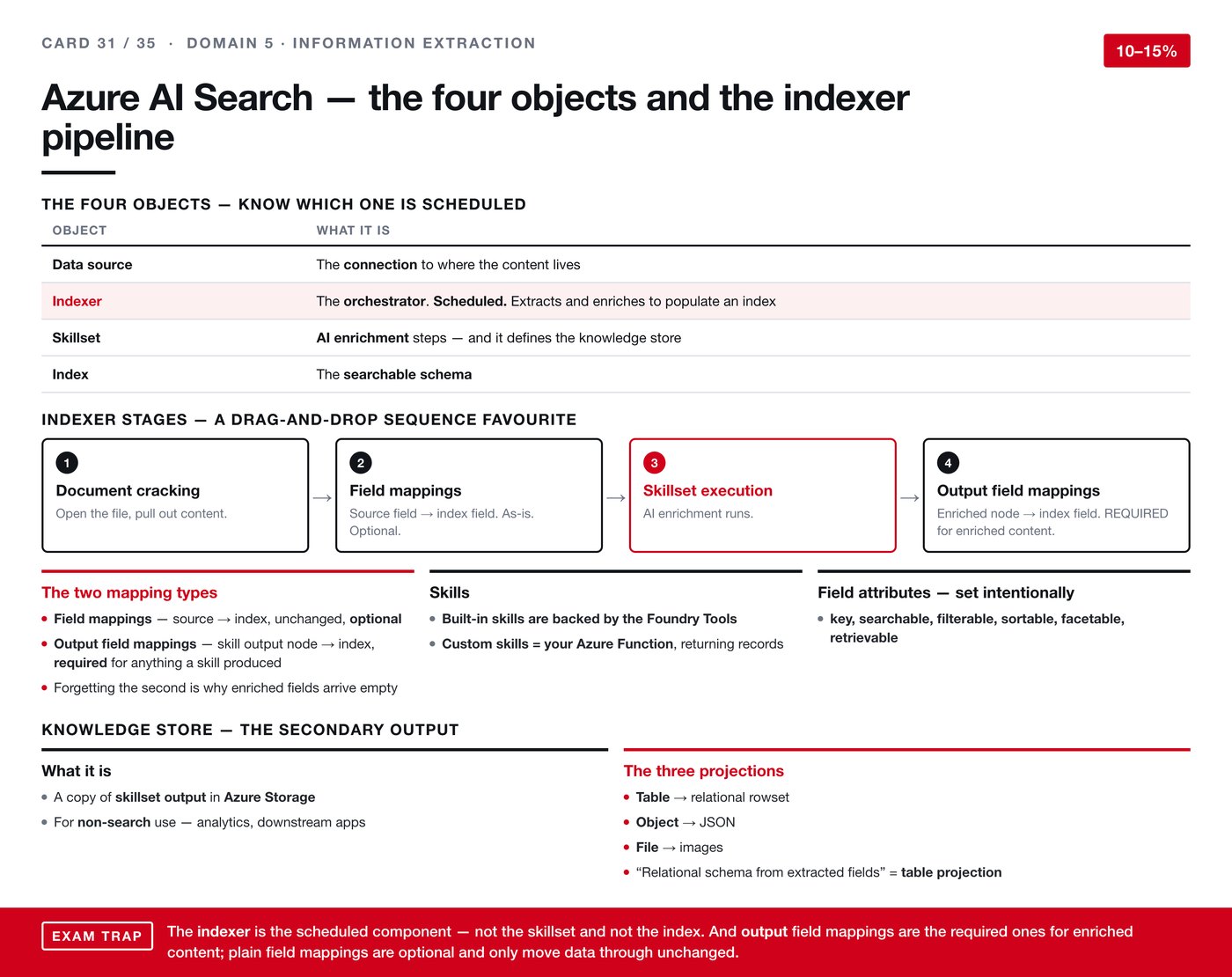
Four objects make up a search pipeline, and knowing which one does what — and specifically which one is scheduled — answers most of the questions here.
The four objects
| Object | What it is |
|---|---|
| Data source | The connection to where the content lives |
| Indexer | The orchestrator. This is the scheduled one. It extracts and enriches to populate an index |
| Skillset | The AI enrichment steps — and it defines the knowledge store |
| Index | The searchable schema |
Learn the indexer as the moving part. The data source is a connection, the skillset is a definition, the index is a schema. Only the indexer runs.
The indexer stages
A drag-and-drop sequence favourite, so learn the order:
- Document cracking — open the file, pull out the content.
- Field mappings — source field to index field, as-is. Optional.
- Skillset execution — AI enrichment runs.
- Output field mappings — enriched node to index field. Required for enriched content.
Two mapping types, and why one is required
This distinction causes a specific, common failure.
Field mappings take a source field to an index field unchanged. They are optional.
Output field mappings take a skill's output node to an index field. They are required for anything a skill produced.
Forgetting the second is why enriched fields arrive empty. The skillset ran, it produced values, and nothing carried them into the index. Nothing errors — the pipeline reports success and the enriched columns are blank.
That is the third empty-result failure in this guide, after the silent indexer failure on card 6 and the unhandled approval on cards 15 and 26. It is worth noticing the pattern: on this platform, misconfiguration usually produces nothing rather than an error.
Skills
Built-in skills are backed by the Foundry Tools. A custom skill is your own Azure Function, returning records in the expected shape.
Field attributes
Set these intentionally: key, searchable, filterable, sortable, facetable, retrievable.
They are worth deciding deliberately rather than switching on wholesale — each one costs index size, and some cannot be changed later without a rebuild.
The knowledge store
A secondary output: a copy of the skillset's results in Azure Storage, for non-search use such as analytics and downstream applications.
Three projections:
- Table — a relational rowset.
- Object — JSON.
- File — images.
A requirement phrased as wanting a relational schema from extracted fields is asking for a table projection.
The trap
Two parts, both about knowing which component does what.
The indexer is the scheduled component — not the skillset, not the index. If a question asks what runs on a schedule, that is it.
Output field mappings are the required ones for enriched content. Plain field mappings are optional and only move data through unchanged. Getting these the wrong way round is exactly what produces an index that looks correctly configured and returns nothing useful.