Card 43 of 44· Added after the August 2026 sweep
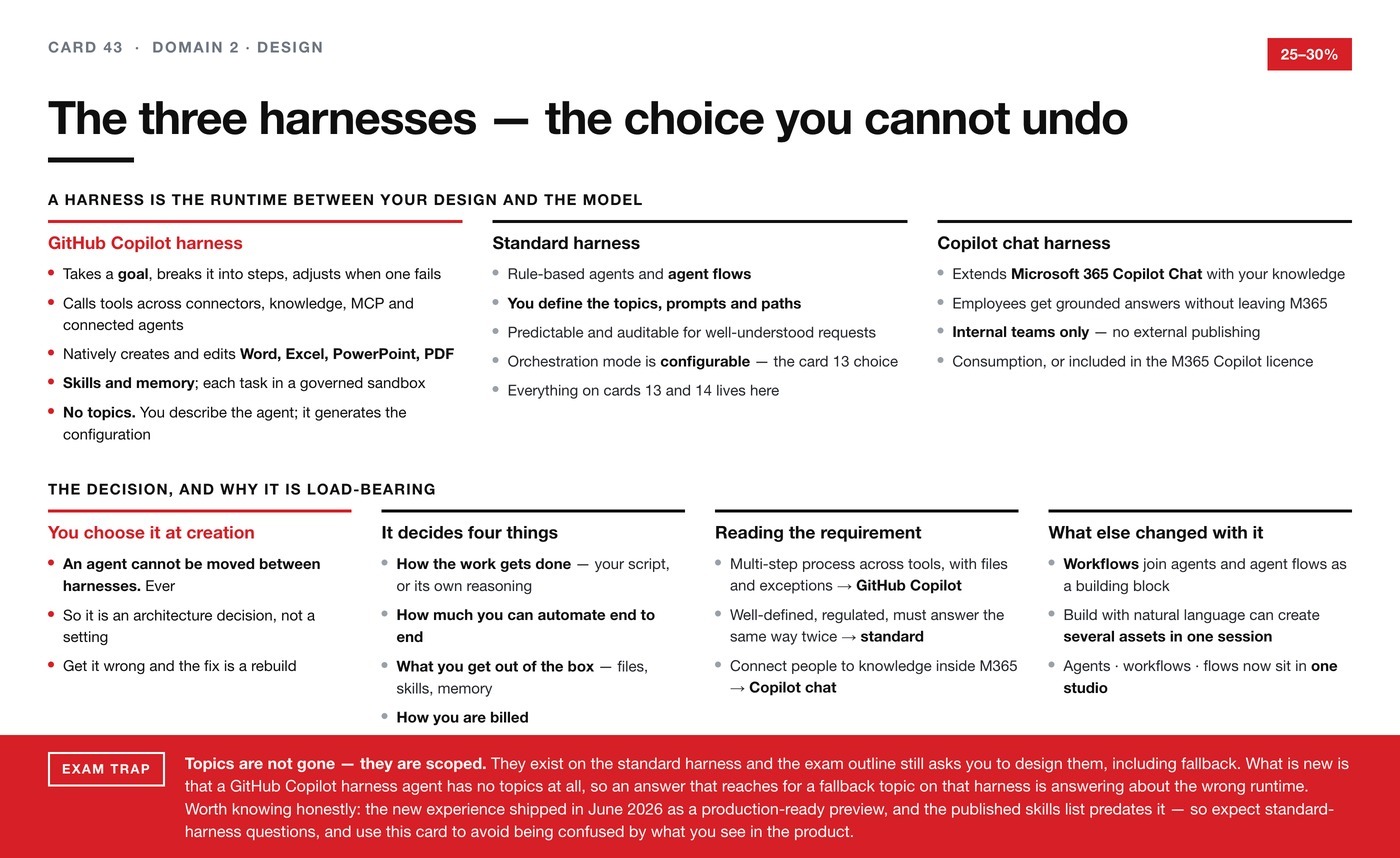
The three harnesses — the choice you cannot undo
Domain 2. Copilot Studio has been restructured around harnesses. What each one is for, why topics are scoped rather than gone, and why an agent can never move between them.
Copilot Studio has been restructured around something called a harness, and it
changes how you should read cards 13 and 14. This card exists so you are not
confused by the difference between what the exam outline describes and what you
see when you open the product.
What a harness is
You design an agent or a workflow. The model supplies the reasoning and the
words. The harness is the runtime that sits between the two — it decides when
to call the model, what to send it, how to interpret what comes back, and which
tools to call.
Everything you build in Copilot Studio runs on one. There are three.
GitHub Copilot harness
The most capable of the three, built for reasoning-heavy work.
Instead of following a script you drew, it takes a goal, breaks it into steps,
calls the right tools across connectors, knowledge, MCP and connected agents, and
adjusts when a step fails. It natively creates and edits Word, Excel,
PowerPoint and PDF files. It supports skills — reusable, self-contained sets
of instructions you can share across agents — and memory, which persists
context per user across interactions. Each task runs in a secure sandbox governed
by Copilot Studio.
It has no topics. You describe the agent in natural language and the system
generates the underlying configuration. Its orchestration is not configurable —
the enhanced model is used for every agent on this harness.
Microsoft's own example: an accounts payable process where the agent reads
invoices, matches them to purchase orders, and routes exceptions for approval.
Billing is Copilot Credits, usage-based — and note that building, testing and
evaluating consume credits too, not just running.
Standard harness
The dependable option for rule-based agents and structured, repeatable
conversations. You define the topics, prompts and paths, so the experience
responds consistently to well-understood requests. Orchestration mode is
configurable — that is the choice card 13 sets out. Agent flows live here.
Microsoft's example: an internal help desk that answers common questions and
routes simple requests.
Everything on cards 13 and 14 describes this harness.
Copilot chat harness
The narrow one. It connects your enterprise knowledge to Microsoft 365 Copilot
Chat, so employees get grounded answers without leaving the tools they already
use. Its example is an onboarding agent answering from SharePoint.
Two constraints worth remembering: it publishes to internal teams only, and
billing is consumption-based or included in the Microsoft 365 Copilot licence.
The decision, and why it is load-bearing
You choose the harness when you create the agent, and an agent cannot be moved
between harnesses. Not later, not with effort. That makes it an architecture
decision rather than a setting, and getting it wrong means rebuilding.
Microsoft names four things the choice determines: how the work gets done (your
script, or its own reasoning), how much you can automate end to end, what you get
out of the box, and how you are billed.
Reading a requirement, then:
- Multi-step business process across several tools, files involved, exceptions to
handle → GitHub Copilot harness. - Well-defined, regulated, has to answer the same way twice → standard harness.
- Connect people to knowledge inside Microsoft 365 → Copilot chat harness.
What else changed alongside it
Workflows are now a building block in their own right, alongside agents and
agent flows — a drag-and-drop automation where each step can reason and act, with
built-in testing and human-in-the-loop controls. Agent flows remain the
established flow format.
And Copilot Studio can now build from natural language: describe a business
goal and it works out the right combination of agents and workflows, creating more
than one asset in a single session. Agents, workflows and flows sit in one studio.
The wider pattern — four things Microsoft has been unifying
The harness model is one of four unification moves, and seeing them together
explains the feeling that Copilot Studio has been rebuilt around you.
The runtime is unified. Three harnesses, one studio, one place to choose.
The build surface is unified. Agents, workflows and agent flows now sit
together, and you can describe a business goal and have Copilot Studio work out
the right combination — creating more than one asset in a single session.
The grounding layer is unified, under a name worth knowing: Microsoft IQ.
Microsoft describes it as a unified intelligence layer for enterprise AI, made of
four parts. Work IQ — how employees actually work: people, collaboration,
workflows. Fabric IQ — the live state of the business: entities, their
relationships, properties and rules. Foundry IQ — curated institutional
knowledge: policies, authoritative documents, reusable knowledge bases. Web
IQ — fresh intelligence from the open web.
The governance layer is unified under Agent 365, which is card 42.
None of this is in the published skills list, and I would not revise it as exam
content. It is here so that the vocabulary in the product and in Microsoft's
announcements maps onto something when you meet it.
Exam trap. Topics are not gone — they are scoped. They exist on the standard
harness, and the published skills list still asks you to design them including
fallback. But a GitHub Copilot harness agent has no topics at all, so an answer
that reaches for a fallback topic on that harness is answering about the wrong
runtime.
Being straight about status: the new build experience shipped in June 2026
as a production-ready preview, and the exam's published skills list predates it.
The exam page says most questions cover generally available features. So expect
standard-harness questions — and treat this card as the thing that stops the
product surprising you, rather than as a block of likely exam content.
Goes with: cards 13 and 14, which are standard-harness content, and card 37 for
what the Copilot Credit billing on the GitHub Copilot harness actually costs.