◆ 07 / build your app
Building your app, and looking after it once it is live
You have an idea for an app and a group of people who would use it. I can build it for the web and the iPhone. I can get it launched, and keep it working afterwards.
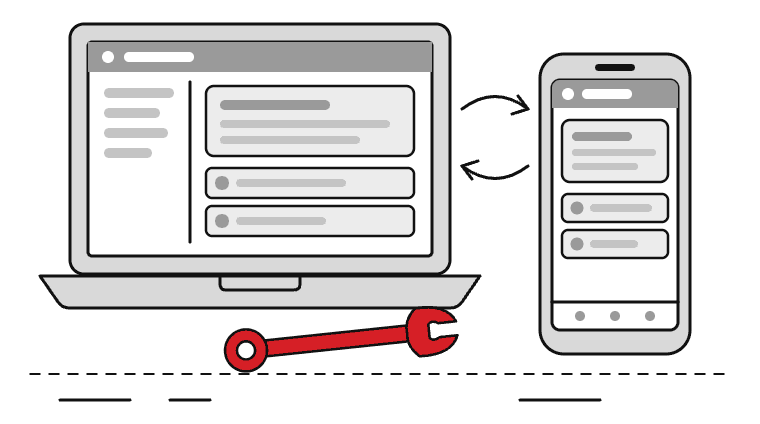
◆ The big picture
Plenty of useful apps are small, and made for people you can name
Not every app needs to become a company. Some exist because a group of people keep doing the same job by hand, in a spreadsheet or a group chat. It keeps going wrong.
Both of mine started that way. MLA Ready started with my daughter, who is a Year 3 medical student. Kitty started with families and friends trying to keep track of who paid for what.
An app like that does not need a big team. It needs one person who can build every part of it. That person must still be around once it has launched.
◆ The problem
Building it is half the job. The other half is keeping it alive
An idea usually stalls in one of two places. The first is the build. A web app, an iPhone app, a database, sign-in, a domain and an App Store submission are each a separate skill. People often find someone for one of them and then get stuck on the next.
The second is after launch. Phones update, the App Store changes its requirements, and the software underneath goes out of date. Someone has to answer when a user writes in. An app that nobody looks after slowly stops working.
◆ The solution
One person, from the first sketch to the App Store and after
I build the whole thing myself, so nothing gets lost between hand-offs. Then I keep looking after it for as long as it is useful to you.
What that covers:
- Design: working out the screens with the people who will use them
- A web app that works in any browser, and an iPhone app alongside it
- The database behind it, and sign-in, including Google and Apple sign-in
- The App Store submission, and hosting on your own domain
- Looking after it once it is live: fixes, updates and new releases
◆ Two apps I look after
What this looks like in practice
MLA Ready is a revision app for UK Year 3 medical students. It covers 193 conditions, with notes and a one-page visual for each. It also has 2,467 spaced-repetition flashcards and 56 OSCE stations. It works offline and syncs between iPhone and laptop. The content is reviewed against NICE guidance, with AI assistance. I built it for my daughter. The web app runs at mlaready.co.uk, and the iPhone app is in App Store review.
Kitty is a shared-expenses app for families and friends. You set up a group and split costs. You can scan a receipt or add an expense by voice. You invite people with a link. Sign-in is with Google or Apple. Everyone settles up in cash, so no money moves through the app. The web app runs at kittysplit.co.uk, and the iPhone app is in App Store review.
I built both end to end. That covers the design, the web app, the iPhone app, the database, sign-in, the App Store submission and the hosting. I look after both now they are live.
◆ My approach
Small first, then what people ask for
We start with who will use it and what they do today. Then I build the smallest version that does the main job well. I get it in front of real users early.
What they ask for decides what comes next. I do not write a long feature list before anyone has used it.
Once it is live, I keep looking after it. You have one person to write to when something breaks. The app keeps getting updated as phones and the App Store move on.
My background is twenty-five years in extremely regulated environments. So I set up sign-in and access to personal data properly from the first day. If an app that already exists would do the job, I will tell you. Then you will not need me.
◆ Next
Tell me about the idea
Send me a paragraph about who it is for and what they do today. I will tell you honestly whether an app is the right answer. I will also say whether I am the right person to build it.